Getting Started
Configuration
CRM Configuration
General
It allows you to update basic settings, such as changing the application's language settings, so you can customize the CRM's appearance and language.

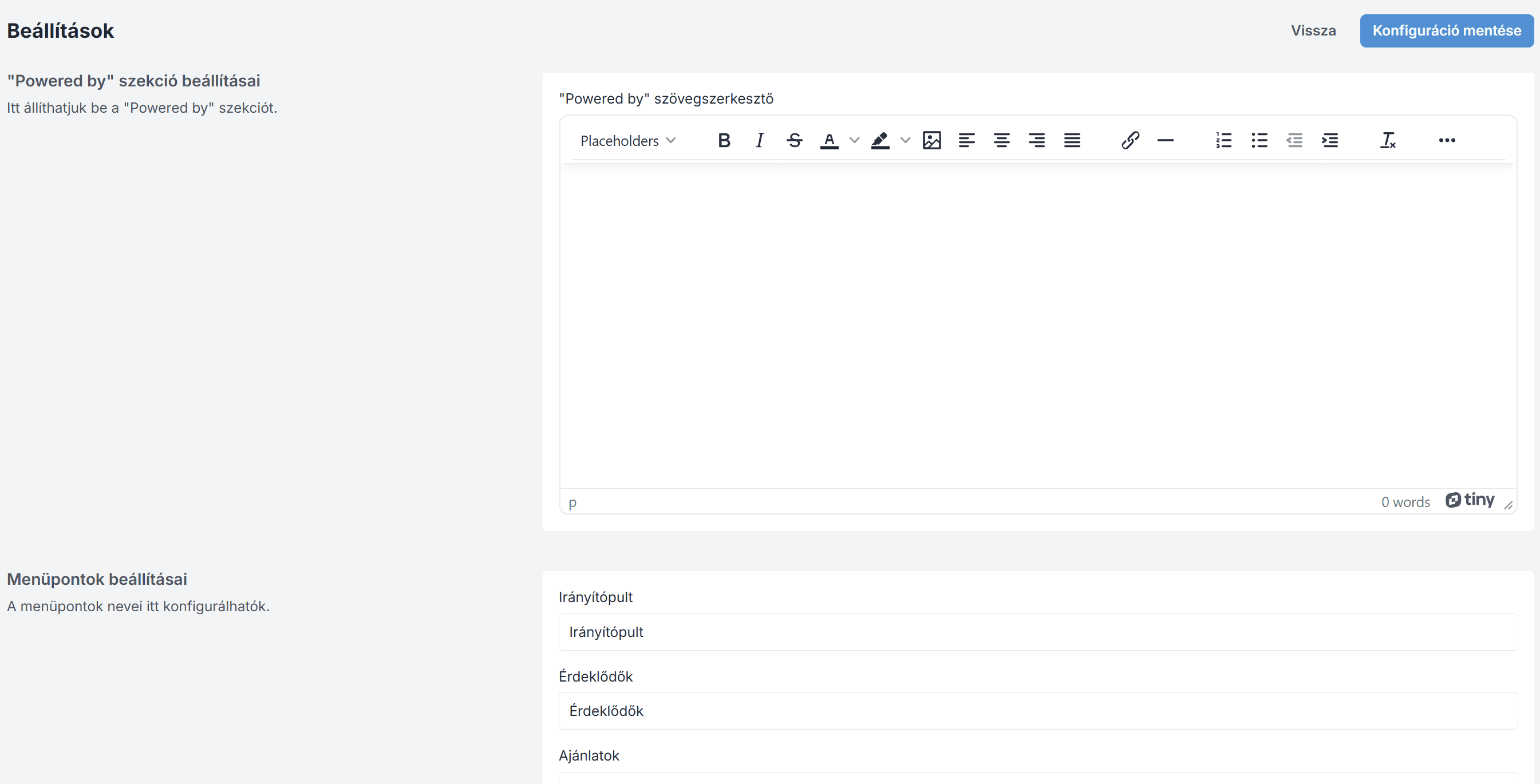
Settings
It allows you to customize the "Powered by" text, rename menu items, and adjust their colors to match your CRM's branding.
Magic AI
It provides settings to enable or disable Magic AI features, integrate an OpenRouter API key, select AI models, and activate document generation (DOC) for automated data extraction and processing.

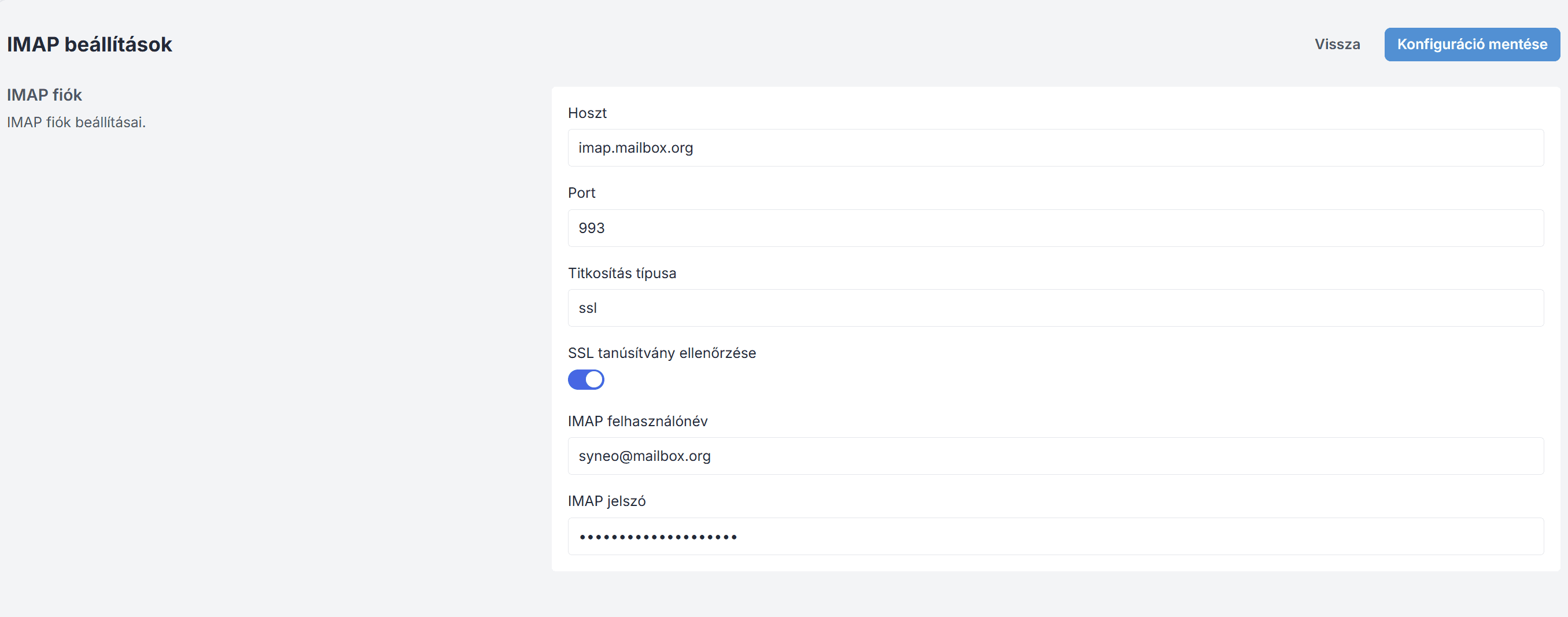
IMAP settings
This is used to configure IMAP settings. It allows you to connect a specific email account to the CRM, enabling the system to receive and manage incoming emails directly.
During configuration, you must enter the following information:
Host - the hostname of the IMAP server
Port - the port through which IMAP communicates
Encryption type - SSL or TLS
Username - IMAP username
Password - IMAP password
SMTP settings
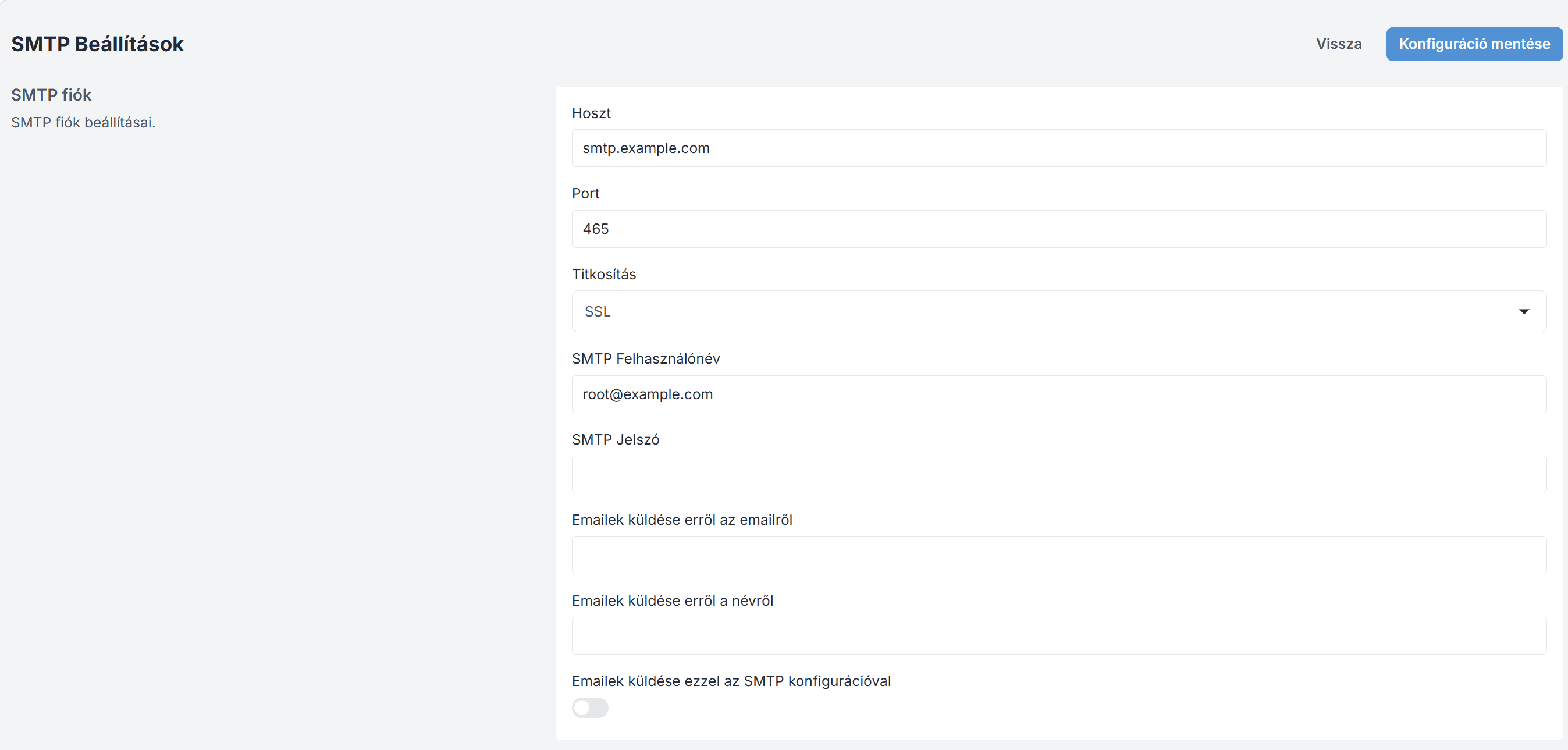
This is used to configure the SMTP settings. It allows you to specify the email address from which your outgoing emails are sent.
During configuration, you must enter the following information:
Host - the hostname of the SMTP server
Port - the port through which SMTP communicates
Encryption type - SSL or TLS
Username - SMTP username
Password - SMTP password
In addition, you can specify the name and email address from which the emails are sent.
Finally, you can check a box to indicate whether you want to use your own configuration or the default settings.
Join our Community Forum
Any other questions? Get in touch