Getting Started
Management of interested parties (customers)
Handling inquiries
Prospective customers (Leads)
An inquiry is a potential customer or prospective buyer. Creating an inquiry in CRM is the first step in the sales process. Inquiry records are used to store all known information about a given inquiry, including the company name, address, contact details, and current position in the sales funnel.
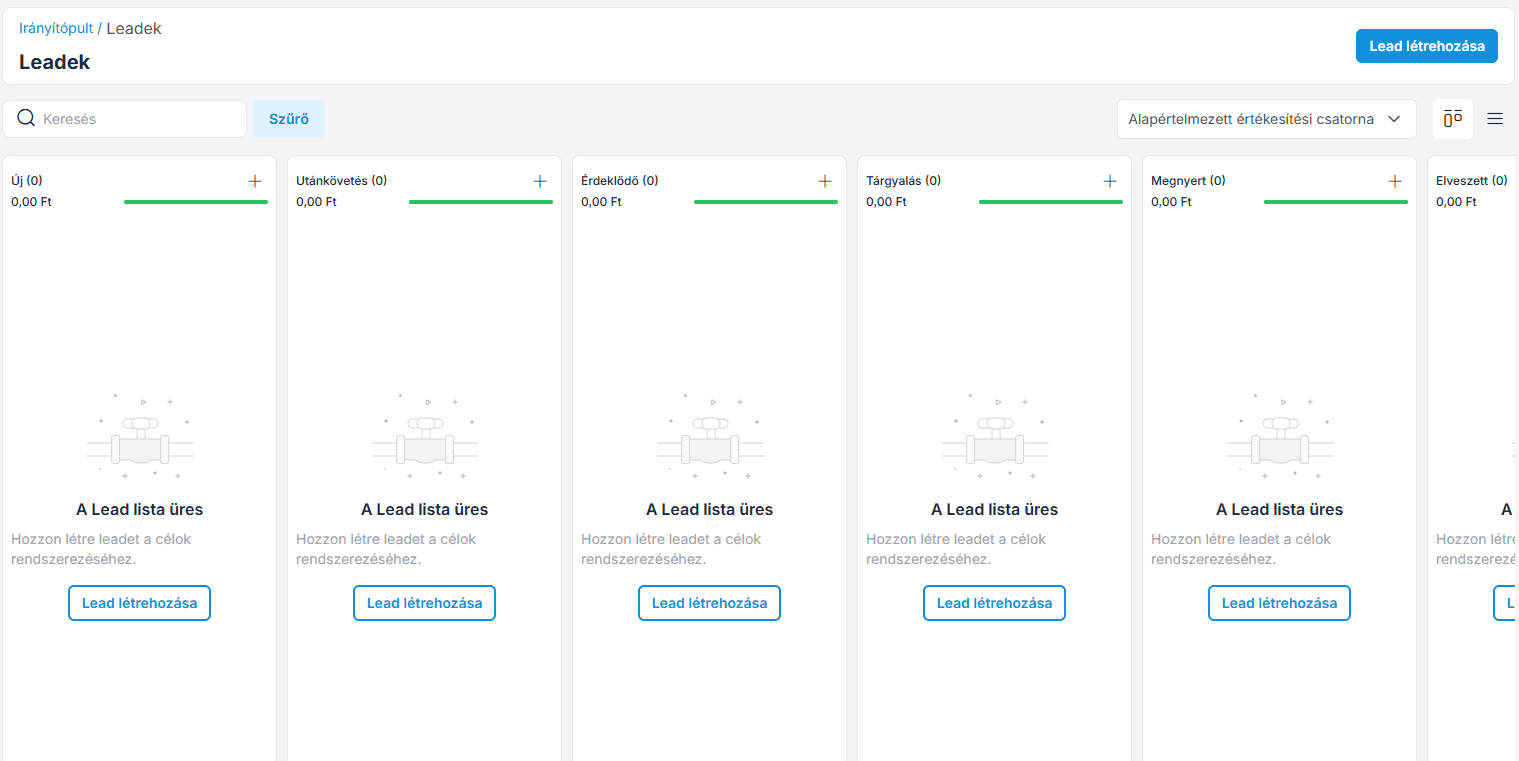
Create a lead
Step 1:
Log in to the Administration interface, then click on Prospects >> Create Lead .
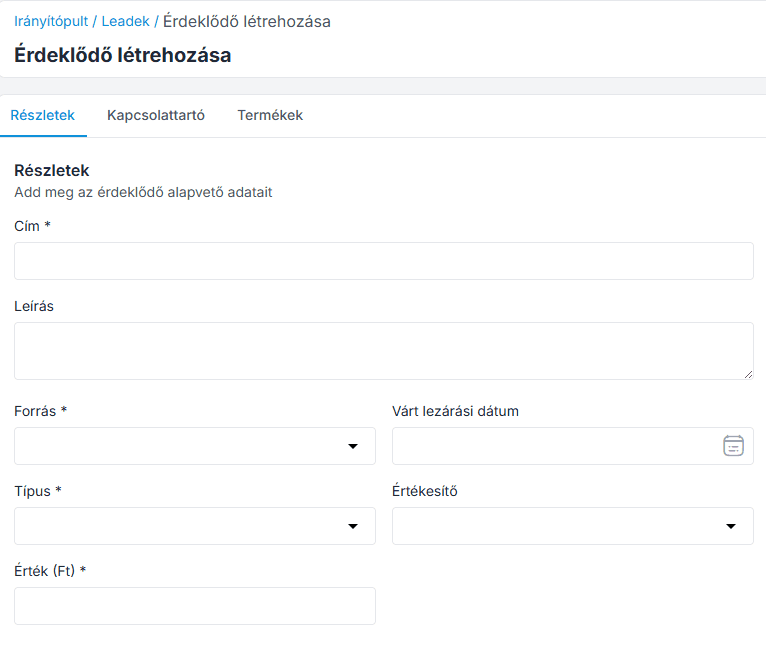
Step 2: Fill in the information below.
Title – Enter the title of the person interested.
Description – Enter a description for the prospect.
Lead Value – Enter the expected value of the lead.
Source – Select the source through which you contacted the customer (Email, Web, Web Form, Phone, Direct Contact).
Type – Select the type of visitor.
Sales Owner – Select the sales owner associated with the prospect.
Expected Close Date – Enter the date on which the inquiry is expected to be closed.
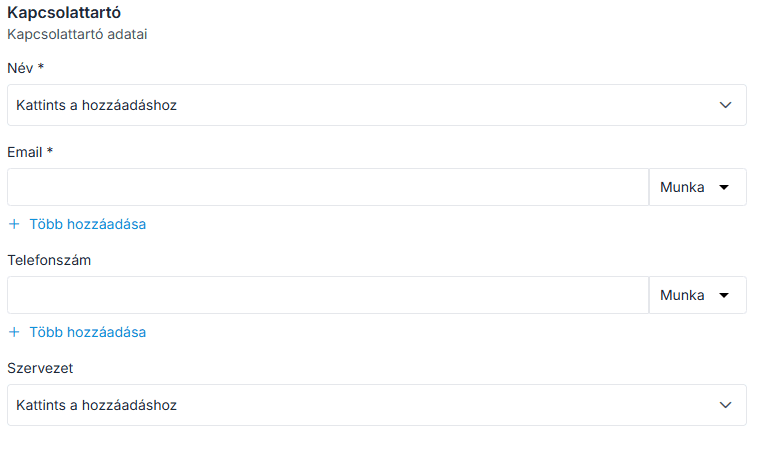
Step 3: Now click on Contact Person details.
Name – Enter the name of the contact person.
Email – Enter the contact person's email address.
Contact Number – Enter the contact person's phone number.
Organization – Enter the name of the customer's organization/company.
Step 4: Now click on Product Details.
Add product – Add the product item.
Price – Enter the price of the product.
Specify quantity – Specify the quantity of the product.
Enter amount – Enter the total amount for the product.

Now click on the Save button.
The entire sales process (pipeline) has been created. You can add additional steps to the pipeline stages.
Join our Community Forum
Any other questions? Get in touch